
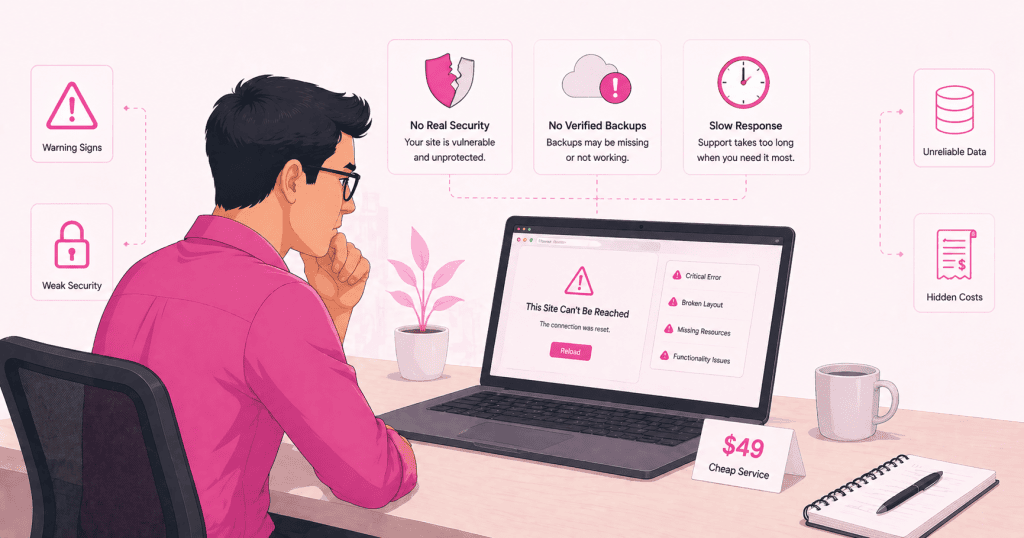
The appeal of low-cost WordPress maintenance is straightforward. The work feels routine, the outcomes are invisible when things go well, and the price difference between a serious care plan and a cheap one is hard to justify until something goes wrong.
The problem is that most of what separates a serious maintenance operation from a cheap one is not visible in the service description. It shows up later, in the form of a hacked site, a broken update, a backup that does not restore, or a performance problem that has been quietly accumulating for months. By then the cost of addressing it is almost always higher than the difference in monthly fees would have been.
What Cheap Maintenance Usually Looks Like
Low-cost maintenance offerings tend to share a recognisable shape. Understanding what is typically included, and more importantly what is not, is the starting point for evaluating what you are actually buying.
Automated Updates Without Human Review
The most common version of cheap maintenance is automated plugin updates, sometimes with a cursory uptime check added to justify the fee. A script runs, updates get applied, and a confirmation email goes out. No one reviews the changelog. No one checks whether a major version update carries compatibility risk. No one verifies that the site still functions correctly after the update has been applied.
This works until it does not. When an automated update breaks a WooCommerce checkout, disables a form, or triggers a white screen on the homepage, there is no process in place to catch it quickly and no rollback that was prepared before the update ran. The detection depends on someone noticing, and the recovery depends on whether a usable backup exists.
Backups That Have Never Been Tested
Many low-cost plans include backups as a listed feature. What they rarely include is backup verification. A backup that has never been restored is not a backup in any meaningful operational sense. It is a file that might restore correctly and might not, and the only way to find out is during an actual incident when the pressure is highest and the time available is lowest.
Hosting-level backups are particularly prone to this problem. They exist, they run on a schedule, and they are never touched until they are needed. At that point it is not uncommon to discover that the backup is incomplete, that it covers files but not the database, or that the restore process does not work cleanly with the current environment. None of this is apparent from the service description.
No Staging Environment
Proper update management involves applying changes to a staging environment first, verifying that nothing breaks, and then pushing to production. This step is largely absent from low-cost maintenance. It requires infrastructure, time, and a process, and none of those are compatible with a price point that assumes minimal human involvement.
Without staging, every update is applied directly to the live site. That is an acceptable risk for minor security patches on stable, well-built sites. It is a meaningful risk on sites with complex plugin stacks, custom code, or WooCommerce installations where the interaction between components makes breakage harder to predict.
Monitoring That Stops at Uptime
Uptime monitoring tells you when a site goes completely offline. It does not tell you when a site is slow, when a page is returning errors for some users but not others, when the admin dashboard is inaccessible while the front end looks fine, or when malware has been injected into pages that are otherwise loading normally.
Low-cost plans that include monitoring almost always mean uptime monitoring. The more useful signals, PHP errors, failed database queries, unusual file changes, login anomalies, and performance degradation, require more sophisticated tooling and regular human review. That level of monitoring is not found at the low end of the market.
What Gets Missed and Why It Becomes Expensive
The gaps in cheap maintenance are not just inconvenient. Each one represents a category of risk that eventually materialises into a real cost.
Security Exposure That Compounds Over Time
A site on a low-cost plan is typically running outdated plugins for longer periods, has never had a security audit, and may not have basic hardening in place. None of this is immediately visible. The site loads, the forms work, the owner sees no indication that anything is wrong.
What is happening underneath is a gradual widening of the attack surface. An outdated plugin with a known vulnerability sits there until it is exploited. When that happens, the cost is not just the cleanup. It is the downtime, the potential blacklisting, the lost traffic, the damaged reputation, and the emergency fees charged by whoever is called in to fix it. All of which cost more than a proper care plan would have over the same period.
Performance That Drifts Without Anyone Noticing
Site performance degrades gradually and rarely triggers an obvious alert. A database that accumulates post revisions and transients for two years without being maintained slows down over time. A site that was reasonably fast when it launched becomes noticeably slower without anyone making a single change that caused it.
Low-cost maintenance does not include performance monitoring or proactive database maintenance. The degradation continues until a client complains, until a Google Search Console report flags Core Web Vitals issues, or until someone runs a speed test and is surprised by the result. At that point the remediation is more involved than it would have been if it had been caught and addressed along the way.
Support That Is Not Actually There
Many low-cost maintenance plans are, in practice, unmonitored. Emails go unanswered for days. Support requests are handled when time permits. When something goes wrong at a bad moment, such as a broken checkout the day before a product launch or a hacked site discovered on a Friday afternoon, the response is slow and the resolution is slower.
This is not always deliberate negligence. It is often the structural reality of a service priced too low to support meaningful response times. The economics do not allow for it. A business that has built its operational continuity around its website cannot afford that kind of support gap, and the cost of that gap becomes apparent at the worst possible time.
What Serious Maintenance Actually Costs and Why
A proper WordPress care plan involves human review of updates before they are applied, tested backups stored off-site, staging environments for higher-risk changes, active security monitoring, performance oversight, and support with a genuine response time commitment. All of that requires time, infrastructure, and expertise.
The price difference between a serious plan and a cheap one reflects those differences honestly. It is not a margin play. It is the cost of the work that actually needs to happen to keep a production WordPress site stable, secure, and performing over time.
The relevant comparison is not the monthly fee of a cheap plan against the monthly fee of a serious one. It is the total cost of each over a two or three year period, including the incidents that cheap maintenance fails to prevent. That comparison almost never favours the cheaper option.
If your site is currently on a maintenance plan and you are not confident about what is actually being done, WPFellow can review what is in place and tell you honestly whether it is enough. Take a look at our WordPress Care Plans.



