Every few years a new wave of commentary arrives declaring WordPress finished. A SaaS competitor gains momentum, a headline about a security breach circulates, or a builder comparison lands in the wrong hands, and suddenly the question becomes whether WordPress is still worth choosing at all.
As of April 2026, W3Techs reports WordPress being used by 42.2% of all websites and 59.6% of websites with a known content management system. That level of usage shows that WordPress remains a serious platform rather than a legacy option.
The honest answer is that WordPress remains a strong choice for a wide range of businesses, and a poor choice for some. That is not a diplomatic hedge. It is an accurate description of a platform that is genuinely flexible in the right hands and genuinely demanding in the wrong ones. Understanding where the line sits matters more than landing on a verdict.
What WordPress Actually Gives You
Ownership Over Your Platform
The case for WordPress starts with ownership, and it is a more meaningful advantage than it sounds at first.
When a business builds on WordPress, it owns the software, the database, the content, and the files. There is no vendor who can change pricing, retire a feature, or shut down a plan and take the site with it. The code runs on infrastructure the business controls or can move between providers. That is a fundamentally different relationship with your website than what most SaaS platforms offer.
For businesses that treat their website as a long-term asset rather than a monthly subscription, that distinction compounds over time. A WordPress site built well in 2019 is still running in 2026 on the same codebase, with the same content structure, regardless of what has happened to the competitive SaaS landscape in the intervening years.
Flexibility That Scales With Complexity
WordPress handles a wider range of site types than almost any other platform. A simple five-page business site, a content-heavy publication, a WooCommerce store with thousands of SKUs, a membership site with gated content and tiered access, a directory with custom post types and dynamic filtering. All of these run on WordPress, often on the same hosting infrastructure.
That flexibility is not free. It requires technical competence to implement well and maintenance discipline to sustain. But for businesses whose needs do not fit cleanly into the templates a SaaS platform provides, WordPress remains one of the few options that can be shaped to fit the actual requirement rather than the other way around.
The Ecosystem Depth
Forty-three percent of the web runs on WordPress. That number matters not because it proves WordPress is the best choice, but because it means the ecosystem around it is enormous. Developers, designers, plugins, themes, integrations, hosting providers, support communities. The depth of available resources is unmatched by any comparable platform.
For a business that needs to hire help, find a specialist, or integrate with a third-party tool, WordPress is almost never the bottleneck. The problem and its solution have usually been encountered before, documented somewhere, and are available to find.
Where WordPress Genuinely Struggles
The Maintenance Burden Is Real
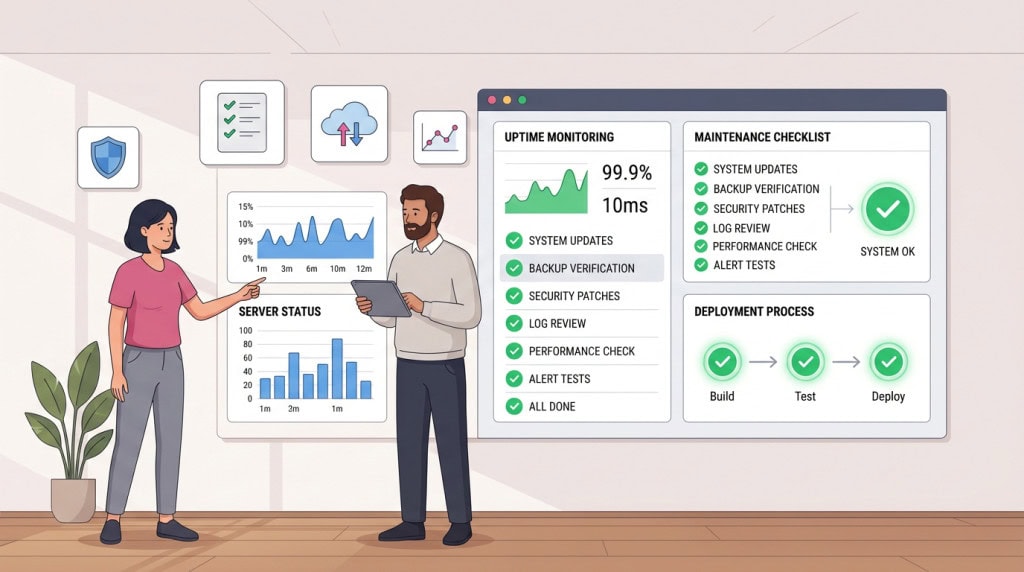
WordPress requires active maintenance. That is not a criticism. It is a structural reality of running self-hosted software. Core updates, plugin updates, PHP version management, backup verification, security monitoring. These are ongoing responsibilities, not one-time setup tasks.
For businesses without a developer relationship or a managed care plan, that burden often goes unmet. Plugins drift out of date. PHP versions age past support windows. Backups sit untested. The site continues to function until it does not, and the cost of recovery is always higher than the cost of prevention would have been.
This is not a reason to avoid WordPress. It is a reason to go in with clear eyes about what running it properly requires.
Performance Depends More on Execution Than the CMS Name
WordPress can be fast, but it is not automatically fast. A clean build on good hosting with optimized images, sensible caching, and a lean theme will perform well. A bloated site with a heavy builder and too many third-party scripts will feel slow regardless of the CMS. SaaS builders may appear faster because they limit what users can change, but WordPress gives you the freedom to choose your own hosting stack and configure caching layers exactly as needed.
The Learning Curve for Self-Management
WordPress is more complex to self-manage than most SaaS alternatives. A business owner who wants to make minor updates to a Squarespace site will find that experience meaningfully simpler than the equivalent in WordPress, even with a well-built theme.
That gap narrows considerably with a good page builder, well-structured templates, and proper client handoff. But it does not disappear. For businesses that want to self-manage heavily without any technical support, the friction is real and should be factored into the decision.
Plugin Quality Is Inconsistent
The WordPress plugin ecosystem is large, but large does not mean curated. The quality gap between a well-maintained commercial plugin and an abandoned free one can be enormous, and that gap is not always visible from the plugin listing page.
A site built with a thoughtful plugin selection and an experienced developer is a different thing from a site assembled by someone who installed every free plugin that appeared to solve a problem. Both are WordPress sites. One is stable and performant. The other is a maintenance liability waiting to surface.
Security Requires Active Management
Most real-world WordPress issues involve weak passwords, outdated plugins, and abandoned themes. While a SaaS platform controls the core environment, WordPress distributes security responsibility across the site owner, developer, and host. This is why active management is mandatory: updates must be reviewed, backups tested, and admin access strictly controlled.
Where SaaS Platforms Actually Win
There are situations where a SaaS tool is the more sensible choice, and it is worth saying so directly.
Simple Sites With Stable Requirements
For a business that needs a clean, professional web presence with a handful of pages, a contact form, and no complex integrations, a platform like Squarespace or Webflow can deliver that faster and with less ongoing overhead than WordPress. If the site’s requirements are unlikely to grow beyond what the platform handles natively, the flexibility advantage of WordPress does not justify the additional complexity.
Teams Without Any Technical Resource
WordPress works best when there is someone competent managing it, whether that is an in-house developer, a freelancer, or a managed care plan. For a very small business with no budget for technical support and no internal technical capability, a hosted SaaS platform removes the maintenance burden entirely. That is a genuine advantage in that specific situation.
Rapid Prototyping and Short-Horizon Projects
For a campaign microsite, a short-lived landing page, or a project with a defined end date, the overhead of setting up and maintaining a WordPress install is often disproportionate to the need. SaaS tools handle these cases cleanly and without commitment.
The Question Worth Asking
The right framing is not whether WordPress is good or bad. It is whether WordPress is the right fit for this business, this team, and this set of requirements.
WordPress wins when the site has complexity, when ownership matters, when the business expects to grow and needs a platform that can grow with it, and when there is access to competent technical support. It wins when flexibility is a genuine requirement and not just a theoretical one.
It is the wrong choice when simplicity is the real priority, when there is no plan for ongoing maintenance, or when the site’s actual needs fit comfortably within what a hosted platform already provides.
Most established businesses with a real web presence, meaningful content, or any kind of transactional or membership functionality will find WordPress more capable than the alternatives. That has not changed. What has changed is the quality of some of the SaaS alternatives for simpler use cases, which means the decision deserves more deliberate thought than it did five years ago.
WordPress is still worth choosing. Just not automatically, and not without understanding what choosing it actually involves.
If you are evaluating whether WordPress is the right platform for your business, or planning a new build and want it done properly, WPFellow can help. Get in touch to talk through what your site needs.