AI tools have made a genuine difference in how WordPress sites get built and maintained. That is not hype. Anyone doing serious development work in 2025 and 2026 who is not using AI assistance in some part of their workflow is probably working slower than they need to be.
But the conversation around AI in WordPress has a tendency to collapse into one of two positions. Either AI is going to replace developers entirely, or it is a gimmick not worth taking seriously. Neither is accurate. The more useful question is a narrower one: where does AI actually help, where does it introduce risk, and what still requires the kind of judgment that comes from real experience with real sites?
Where AI Is Genuinely Useful
The clearest wins are in the parts of WordPress work that are repetitive, well-defined, and low-stakes if the output needs correction.
CSS and Code Drafting
Writing and editing custom CSS is a good example. Describing a layout or a styling problem in plain language and getting back a workable starting point is faster than writing from scratch, especially for less common properties or responsive edge cases. The output still needs review, but the starting point is usually closer than a blank file.
Code generation for small, isolated functions works in a similar way. A custom post type registration, a simple shortcode, a WP-CLI script for bulk operations. These are tasks where the pattern is well-established and AI models have seen enough examples to produce something structurally sound. The developer still needs to understand what was generated and whether it fits the specific context, but the drafting phase is faster.
Content, Documentation, and Debugging
Content drafting, meta descriptions, alt text at scale, and documentation for client handoffs are all areas where AI handles the bulk of the work without introducing meaningful risk. None of these require deep WordPress knowledge to verify, and the cost of an error is low enough that review is straightforward.
Debugging assistance is more nuanced but genuinely useful. Pasting an error log or a problematic function and asking what is likely wrong often surfaces the right direction faster than manual tracing. It is not always correct, but it is frequently fast enough to be worth trying before going deeper.
Explaining unfamiliar code is another practical application. When a developer inherits a site with undocumented custom functions or an unusual plugin configuration, asking an AI to walk through what a block of code is doing can save significant time. The explanation still needs verification, but it accelerates the orientation phase on an unfamiliar codebase.
Maintenance Workflows Can Become More Structured
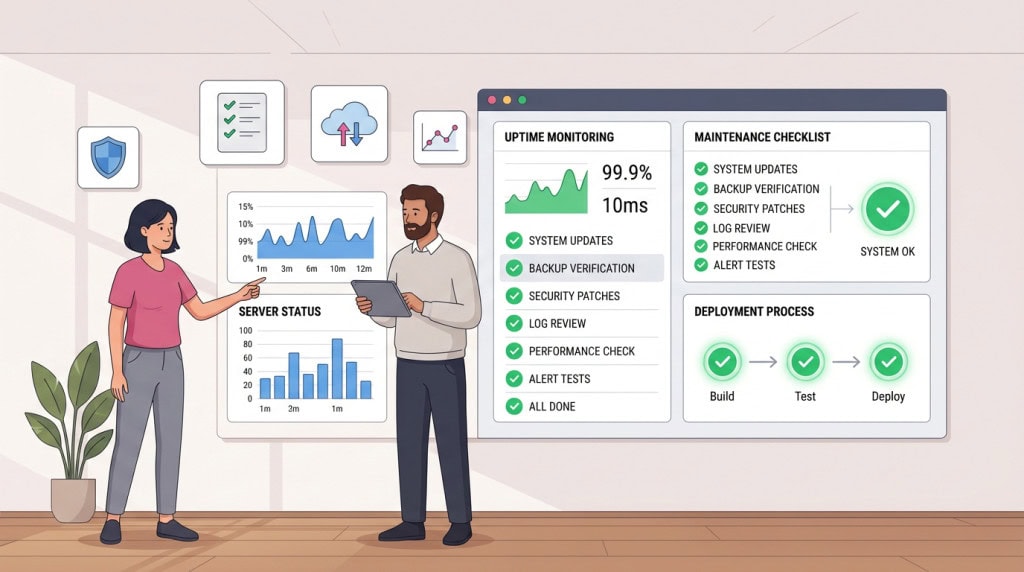
One of the better uses of AI is improving operational discipline. It can help summarize update notes, create maintenance checklists, organize support requests, draft client reports, and turn messy technical findings into readable explanations. For a WordPress care workflow, AI can help prepare a clearer report after updates are reviewed. It can summarize what changed, list what was tested, and explain why a certain plugin update was delayed. That helps clients understand that maintenance is not just clicking “update all.”
Where AI Introduces Risk
The risk is not that AI produces bad output. The risk is that AI produces plausible-looking output that is wrong in ways that are not immediately obvious.
No Awareness of the Specific Environment
This matters more in WordPress than in some other contexts because WordPress sites are not isolated systems. A plugin, a theme, a custom function, and a hosting configuration all interact. An AI tool has no awareness of that specific environment. It can generate code that is syntactically correct, follows general PHP conventions, and still fails or creates a subtle conflict because it does not know what else is running on that site.
Security Gaps That Look Fine on the Surface
Security is the most serious version of this problem. AI-generated code that handles user input, file operations, authentication, or data storage needs careful review. The patterns involved are well-documented, and AI models can reproduce them. But they can also omit nonce verification, miss an escaping call, or produce a query that looks correct but opens an injection surface. A developer who does not know what to look for will not catch it.
For example, AI may tell a site owner to install a security plugin after a malware issue. That may be reasonable as one layer, but it does not answer the more important questions. How did the compromise happen? Was the vulnerable plugin removed or only updated? Were backdoors cleaned from wp-content? Were database injections checked? Security work needs evidence, and while AI can assist with explanation, a human still needs to verify backups and apply changes based on the actual incident.
Performance Problems That Only Show Under Load
The same pattern shows up with performance. AI can generate code that works correctly under normal load but does nothing to account for caching layers, database query efficiency, or the cumulative cost of running inside a WordPress environment with many other plugins. The output functions. It just does not function well at scale, and the problem often does not surface until the site is under real traffic.
If the site has a slow TTFB (Time to First Byte) because of expensive uncached queries or “autoloaded” options bloating the database, generic AI advice like “compressing images” will not fix the bottleneck.
The Over-Reliance Problem
There is also a subtler risk around over-reliance. Developers who lean heavily on AI generation without building or maintaining their own understanding of the underlying system become dependent on outputs they cannot fully evaluate. The less you understand, the less you can verify. And the less you can verify, the more you are trusting outputs that may be wrong in ways you will only discover later, on a live site, in front of a client.
What Still Requires Human Judgment
Architecture and Platform Decisions
Site architecture decisions are not something AI can make well. Choosing between a plugin-based approach and custom development, deciding how a multisite network should be structured, evaluating whether a client’s requirements are better served by WordPress or a different platform, identifying where technical debt is accumulating before it becomes a problem — these require experience with how WordPress sites behave over time, not just pattern recognition from training data.
Diagnosing Real Production Problems
Debugging production issues on complex sites is similar. When a site is misbehaving in a way that involves the interaction of multiple plugins, a specific hosting configuration, cached state, and real user behavior, the diagnostic process requires someone who can read a situation, form a hypothesis, and test it systematically. AI can suggest possibilities. But the investigative judgment that narrows down a real production problem usually comes from someone who has seen enough broken sites to know where to look first, and what the common culprits look like.
Update and Compatibility Risk
Update and compatibility risk assessment is another area where experience matters more than AI assistance. Deciding whether a major WooCommerce update is safe to apply on a live store this week, evaluating a plugin that has not been updated in eight months, recognizing that a builder update is likely to conflict with a custom child theme — these judgments depend on pattern recognition built from real maintenance work, not from generalized training data.
Knowing what not to do is often more valuable than knowing what to do. That kind of negative knowledge, the sense of when something will cause a problem even if it looks fine, is hard to develop and impossible to transfer through a prompt.
Client Relationships and Communication
Client relationships and communication sit entirely outside what AI can replace. Understanding what a client actually needs versus what they have asked for, managing expectations around a difficult technical situation, explaining a security incident in terms that are accurate without being alarming — these are human skills. They matter as much as the technical work, and they are not automatable in any meaningful sense.
How This Changes the Practical Workflow
The most accurate way to think about AI in a professional WordPress workflow is as a capable collaborator with no contextual awareness of the specific environment it is working in.
That framing suggests the right way to use it. Hand it well-defined, isolated tasks. Review everything it produces before it touches a production site. Do not ask it to make architectural decisions or evaluate risk in a specific environment. Use it to move faster on the parts of the work where speed matters and the cost of an error is manageable.
The developers and agencies getting real value from AI tools are not the ones treating AI as a replacement for skill. They are the ones who already have the skill to evaluate what AI produces, and are using it to reduce time spent on routine work so they can focus on the parts that actually require judgment.
That equation still holds in 2026, and it is likely to hold for a while yet. The tools are improving. The parts of WordPress work that are well-defined and pattern-driven will become increasingly assistable. The parts that require judgment, context, and accountability will not. And for production sites that businesses depend on, those are the parts that matter most.
WPFellow builds and maintains WordPress sites with the judgment that production environments actually require. Whether you need a more reliable process for development, content, testing, or maintenance, we can review where automation makes sense and where human oversight must remain in control. Get in touch to discuss your site.