
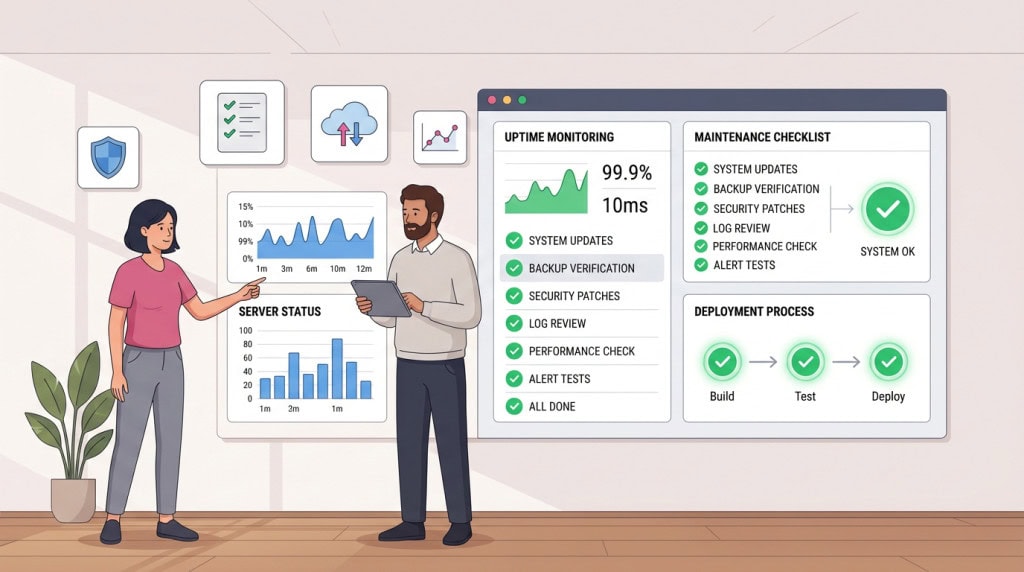
Most WordPress sites are not badly maintained out of negligence. They are badly maintained because nobody established a process in the first place. Updates happen when someone remembers. Backups exist but have never been verified. Security is an afterthought until it becomes an emergency. Performance drifts without anyone noticing until a client complains.
The difference between a well-run WordPress setup and a reactive one is rarely technical knowledge. It is operational habit. The teams and individuals who consistently run stable, secure, performant WordPress sites have developed a set of practices that make good outcomes repeatable rather than accidental.
Those practices are not complicated. But they are deliberate, and that deliberateness is what separates them from the default.
They Treat the Site as a Production System, Not a Finished Project
The single most consequential shift in how mature teams think about WordPress is this: a live site is not a completed deliverable. It is a running system that requires ongoing management.
This sounds obvious. In practice, most sites are treated as finished the moment they launch. The developer hands over the credentials, the client is pleased with the result, and the maintenance question gets deferred until something breaks. At that point the site is already accumulating risk, and the cost of bringing it back to a properly managed state is higher than it would have been from day one.
Part of this management is testing important workflows. Mature teams do not assume a site is functional just because the dashboard loads; they verify that contact forms still send, the checkout still works, and the lead-generation funnel is operational after any change is applied.
They Establish a Maintenance Cadence Before It Is Needed
Mature teams set up the maintenance process at launch, not after the first incident. Backup schedules are configured and tested before the site goes live. Update processes are documented. Monitoring is in place. The question of who is responsible for what is answered in writing rather than assumed.
This means that when something does go wrong, and something always eventually does, the response is a process being executed rather than a scramble to figure out what to do. That distinction has an enormous effect on how quickly problems get resolved and how much damage they cause in the meantime.
They Document What They Build
Undocumented sites create dependency on the original builder. When a site has no record of why certain plugins were chosen, what custom functions do, or how the content structure was set up, every future change carries unnecessary risk. The next developer has to reverse-engineer decisions that should have been written down.
Mature teams document as they build. Not exhaustively, but sufficiently. A brief note on why a specific plugin was chosen over the alternatives. An explanation of what a custom function does and where it is used. A record of which plugins are critical and which could be safely removed. That documentation costs an hour at build time and saves many hours across the lifetime of the site.
They Have a Process for Updates, Not Just a Schedule
Running updates on a schedule is better than running them randomly. Having a process is better than having a schedule. The distinction matters because a schedule tells you when to act. A process tells you how.
They Review Before They Apply
A mature update process starts with a review of what is being updated and why. For minor security patches on stable plugins, that review is brief. For major version updates, for WooCommerce releases, or for WordPress core updates that ship significant changes, the review is more deliberate. What changed? Are there known compatibility issues? Has the developer tested against the current PHP version? Is there anything in the changelog that suggests caution?
This review does not have to be lengthy. But it has to happen. An update applied without any review is an update applied blind, and blind updates are where breakage comes from.
They Use Staging for Higher-Risk Changes
Not every update needs a staging environment. Many do. Any update to a plugin that is deeply integrated with the site’s front end, any WordPress core major release, any change to a theme or builder that affects how templates are rendered. These are updates where the cost of discovering a problem on the live site is higher than the cost of testing on a staging environment first.
Mature teams maintain staging as standard infrastructure, not as an emergency measure. It is always there. It is kept reasonably current with production. When a higher-risk update is due, the process is to test on staging, verify, then apply to production. That sequence is unremarkable to a team that does it routinely and genuinely anxiety-inducing to a team that does not.
They Keep a Rollback Path Open
Before any significant update runs on a production site, a verified backup exists. Not a backup that is scheduled to run later that day. A backup that has already run, has been confirmed complete, and could be restored cleanly if the update creates a problem.
This is the most basic form of risk management in WordPress maintenance, and it is the step most often skipped on sites that are managed reactively. The teams that recover from update incidents quickly are almost always the teams that had this in place before they started.
They Monitor for Problems Rather Than Waiting to Be Told
Reactive maintenance means finding out about problems when users report them. Proactive maintenance means finding out about problems before users encounter them, or at least before the problem has been running long enough to cause significant damage.
They Watch the Right Signals
Uptime monitoring catches the most obvious failures. It does not catch a slow site, a PHP error running silently on half the pages, a broken form submission, a malware injection that is not visually obvious, or a checkout process that stopped working on mobile two days ago.
Mature teams monitor beyond uptime. They watch error logs. They check Core Web Vitals in Search Console on a regular basis. They have alerts configured for unusual file changes or login patterns. They run occasional front-end checks on critical user journeys rather than assuming that because the homepage loads, everything else is working.
They Notice Performance Drift
Site performance does not degrade suddenly. It drifts. A plugin gets added. A query gets slower as the database grows. An image gets uploaded at full resolution because nobody checked. A third-party script gets added to the site without anyone considering the front-end cost.
Individually, none of these changes are catastrophic. Cumulatively, over six months or a year, they can turn a fast site into a slow one. Mature teams catch this drift because they are checking periodically, not because something forced them to look.
They Think About Security Before an Incident Requires It
Security hardening is not something mature teams do in response to a breach. It is something they do at build time and review periodically as part of ongoing management.
They Start From a Defensible Baseline
A defensible security baseline is not complicated. It includes strong, unique credentials for all admin accounts, two-factor authentication on administrator logins, login attempt limiting, file editing disabled in wp-config, correct file permissions, and a plugin stack that has been reviewed for abandoned or low-quality entries. None of these require specialist knowledge. All of them require someone to have done them deliberately rather than accepting the defaults.
Many sites that get compromised were never hardened at all. The attack did not require sophistication. It exploited something that would have been addressed by a basic setup checklist applied at launch.
They Treat Plugin Selection as a Security Decision
Every plugin installed on a site is an extension of the site’s attack surface. A plugin that is abandoned, poorly coded, or installed from an unreliable source is a risk that compounds over time. Mature teams apply judgment to plugin selection at the point of installation and review the stack periodically to remove what is no longer needed or no longer maintained.
This is not about minimalism for its own sake. It is about understanding that a plugin that is not earning its place in the stack is carrying cost and risk without delivering sufficient value to justify either.
They Have Clear Accountability
On well-managed WordPress sites, it is always clear who is responsible for what. Updates, backups, security monitoring, support response, performance oversight. Each of these has an owner, and that owner knows they are the owner.
On poorly managed sites, these responsibilities are assumed to belong to someone without that someone ever having agreed to it. The host is assumed to handle backups. The developer is assumed to be monitoring things. The client assumes the agency is on top of updates. None of these assumptions have been verified. When something breaks, the first thing that has to be established is who should have been watching, which is the wrong moment to be working that out.
Mature teams make accountability explicit at the start of a working relationship and revisit it whenever the arrangement changes. That clarity is unglamorous and easy to skip. It is also one of the most reliable predictors of whether a site will be managed well over time.
If you want your WordPress site managed with the kind of process that prevents problems rather than reacts to them, WPFellow can help. Take a look at our WordPress Care Plans or get in touch to discuss what your site needs.



