
Every WordPress update looks safe until it is not. The changelog says “bug fixes and improvements.” The plugin has millions of installs. The update notification has been sitting in the dashboard for days and nothing about it seems unusual. Then it is applied, and something breaks.
This is not a rare edge case. It is one of the most common support scenarios in WordPress. And the frustrating part is not the break itself. It is that the update gave no warning it would cause a problem.
Understanding why this happens is the first step toward preventing it. The causes are almost never random. They follow specific patterns that become predictable once you know what to look for.
How WordPress Updates Can Cascade Into Failures
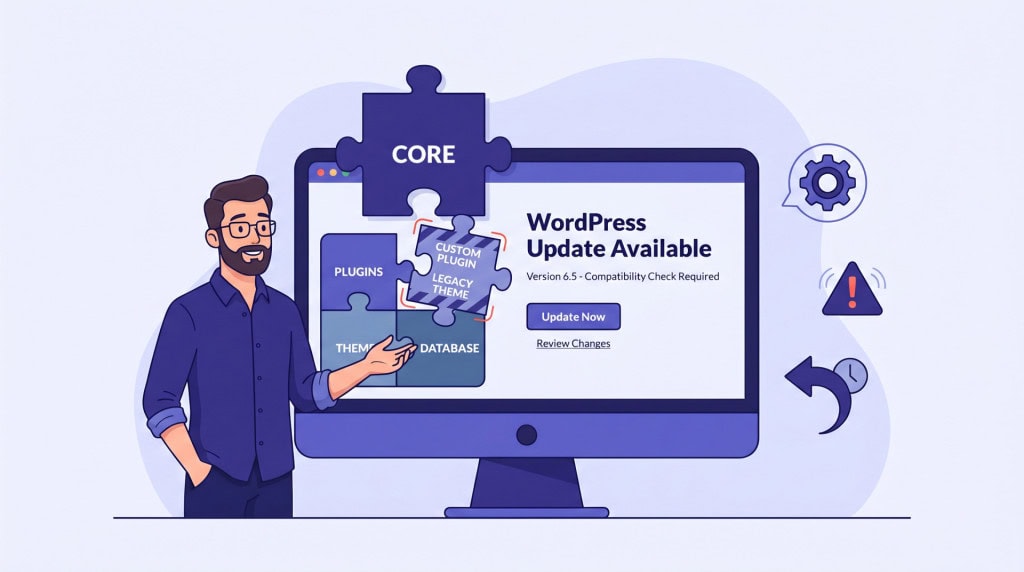
WordPress is not a single piece of software. It is a core platform running alongside a theme, a set of plugins, and sometimes custom code, all developed independently by different people on different timelines. Each piece assumes certain things about how the others behave.
An update to any one of these components can change an assumption that another component depends on. When that happens, the dependency breaks, and something on the site stops working.
Plugin-to-Plugin Conflicts
Two plugins that work fine independently can conflict after one of them updates. This happens when both plugins interact with the same part of WordPress, such as the same hook, the same database table, or the same front-end output. An update to one plugin changes its behavior, and the other plugin’s code no longer produces the expected result.
These conflicts are difficult to predict because neither plugin developer tests against every other plugin in the ecosystem. A plugin with a million installs and a clean update history can still conflict with another well-maintained plugin simply because they were never designed to share the same space.
The more plugins on a site, the higher the probability of these interactions. A site running 10 plugins has far fewer potential conflict pairs than a site running 30. This is one of the practical reasons why keeping the plugin stack lean reduces update risk, not just performance overhead.
WordPress Core Changes
WordPress core updates occasionally change internal functions, deprecate hooks, or modify how data is processed. Most of these changes are backward-compatible, but “mostly” is not “entirely.” A plugin or theme that relied on undocumented behavior or internal functions that were never guaranteed to stay stable can break when core changes how those internals work.
Minor core updates (like 6.5.1 to 6.5.2) are typically safe. Major version updates (like 6.5 to 6.6) carry more risk because they introduce larger changes to the codebase.
Page Builder Interactions
Page builders add a significant layer of complexity to the update equation. They control how content is stored, how the front end is rendered, and how the editor interface works. A core WordPress update that changes the block editor, the REST API, or the way content is processed can affect how the builder renders pages.
The result might not be a site crash. It might be subtler: a layout that shifts, a widget that stops displaying, a styling rule that no longer applies, or an editor that becomes unresponsive. These issues are easy to miss on a quick check and can persist for days before someone notices.
Builder plugin updates themselves carry similar risk. Because builders interact deeply with WordPress internals, an update to the builder can affect how other plugins render within builder-created layouts.
WooCommerce Edge Cases
WooCommerce updates are particularly prone to causing unexpected issues because of how deeply WooCommerce integrates with WordPress and how many extensions depend on it.
Hook and Data Structure Changes
WooCommerce occasionally changes how hooks fire, how order data is stored, or how checkout processes are handled. Extensions that rely on the previous behavior, such as payment gateways, shipping calculators, or custom checkout modifications, can fail silently. The site loads, the product pages display, but a specific checkout flow breaks under specific conditions that only surface when a real customer tries to complete a purchase.
Extension Compatibility Timing
When WooCommerce releases a major update, extension developers need time to test and update their own plugins. If WooCommerce core is updated before its extensions have released compatible versions, the gap creates a window where things can break. This is especially common on sites that have automatic updates enabled for WooCommerce but rely on extensions that update on a slower cycle.
PHP Version Mismatches
PHP version upgrades and plugin updates can create a different kind of silent failure. A plugin might work perfectly on PHP 8.1 but use a function that was deprecated or removed in PHP 8.2. If the hosting provider upgrades PHP and a plugin update happens around the same time, the cause of the resulting error can be difficult to isolate.
Some PHP changes are subtle. A function that previously returned a warning now throws a fatal error. A type coercion behavior that was lenient in older versions is strict in newer ones. The plugin code was never technically correct, but it worked until the PHP version changed and exposed the problem.
Fragile Custom Code
Custom code added to a child theme’s functions.php, a site-specific plugin, or a code snippets manager is often written for a specific moment in time. It works with the current versions of WordPress, the active theme, and the installed plugins.
When any of those change, the custom code may no longer work as intended. A function it calls might no longer exist. A hook it attaches to might fire at a different point. A CSS class it targets might have been renamed by a theme update.
Custom code is often the last thing anyone checks when diagnosing an update failure, because it was written months or years ago and has been working reliably ever since. But it is also the code least likely to be maintained or updated alongside everything else.
This is particularly common on sites that were built by one developer and are now maintained by someone else, or by the site owner directly. The custom code works, nobody wants to touch it, and it quietly becomes a fragile dependency that no update process accounts for.
The Batched Update Problem
Applying multiple updates at once is common but makes diagnosis harder. If WordPress core, two plugins, and the theme all update simultaneously and something breaks, it is not immediately clear which update caused the issue.
This is why updating one component at a time, checking the site between each update, is a more reliable process. It takes more time, but it makes the cause of any issue immediately identifiable. When everything updates at once and the site breaks, the only practical option is often to restore from backup and start testing each update individually.
Why a Structured Update Process Exists
None of these risks mean that updates should be avoided. Outdated software carries its own serious risks, especially around security. The point is that updates, even routine ones, are not risk-free, and the risk is not always visible from the changelog.
A structured update process exists to manage this reality. Testing updates on a staging environment before applying them to the live site. Updating components individually rather than in bulk. Verifying the full site, including checkout flows and form submissions, after each update. Keeping a recent backup ready in case a rollback is needed. These are not overcautious steps. They are the practical response to a system where independently developed components need to stay compatible without any guarantee that they will.
Conclusion
WordPress updates break sites not because the updates are bad, but because WordPress is an ecosystem of independently moving parts. Each update changes one part of that system, and the effects on other parts are not always predictable.
The sites that handle updates well are the ones where someone is testing before deploying, watching for issues after each change, and ready to roll back if something goes wrong. The ones that break are usually the ones where updates are applied in bulk, on live sites, without verification.
If you want updates handled with the care they require, WPFellow’s WordPress Care Plans include staged updates, compatibility testing, and rollback capability as part of a structured ongoing maintenance process.



