
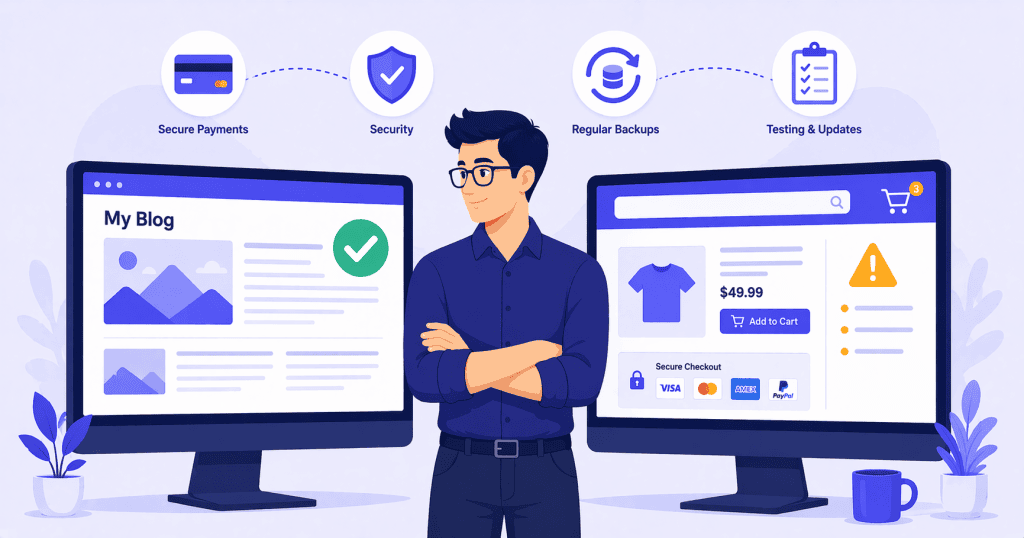
A WordPress blog or brochure site and a WooCommerce store run on the same platform, but they do not carry the same risk. When a content site has a brief issue after an update, the consequence is usually cosmetic. A page looks wrong for a few hours. A widget disappears. Someone notices, it gets fixed, and nobody loses anything.
When a WooCommerce store has a problem, the consequences are financial. A broken checkout means lost sales. A failed payment gateway means customers cannot buy. A corrupted order means someone’s purchase disappears. The tolerance for error on a transactional site is fundamentally lower, and that changes what responsible maintenance looks like.
Updates Carry Higher Risk
WordPress core, plugin, and theme updates always carry some risk of introducing conflicts. On a content site, that risk is manageable. If a plugin update breaks a contact form for a few hours, it is an inconvenience. If it breaks a WooCommerce checkout, it is revenue lost in real time.
The Plugin Stack Is More Complex
A typical WooCommerce store does not just run WooCommerce core. It runs payment gateway plugins, shipping calculation extensions, tax handling plugins, email notification systems, product display addons, and often integrations with accounting software or inventory management tools. Each of these needs to stay compatible not just with WordPress, but with WooCommerce itself and with every other plugin in the stack.
A single WooCommerce core update can change how orders are processed, how hooks fire, or how data is stored. Any extension that relies on the previous behavior can break silently. The update appears to work because the site loads, but the checkout fails under specific conditions that only surface when a real customer tries to pay.
Blind Updates Are Especially Dangerous
Applying updates without testing is risky on any WordPress site. On a WooCommerce store, it is reckless. An update should never go live without verifying that the full purchase flow works: adding a product to the cart, proceeding to checkout, entering payment details, completing the transaction, and receiving the confirmation email. If any step in that chain breaks, the store is losing money.
Payment gateway plugins deserve particular caution. Providers like Stripe and PayPal periodically update their APIs, and the corresponding WordPress plugins need to stay aligned. A gateway plugin update that changes how it communicates with the payment processor can break checkout even if everything else on the site is unchanged. These updates cannot simply be delayed indefinitely either, because running an outdated gateway plugin can mean falling out of compliance or losing support from the payment provider.
Data Sensitivity Is Higher
A content site stores posts, pages, and comments. A WooCommerce store stores customer names, email addresses, shipping addresses, order histories, and depending on the configuration, payment-related metadata. This is personal and financial data that carries legal obligations under regulations like GDPR and PCI-DSS.
Even stores that use hosted payment processors like Stripe or PayPal, where the actual card numbers never touch the WordPress server, still handle enough personal data to fall under data protection requirements. Customer names, addresses, email addresses, and purchase histories are all personally identifiable information. A breach or data loss on a WooCommerce store is a different kind of problem than a breach on a blog.
Backups Need to Be More Frequent
Daily backups may be sufficient for a content site. For an active WooCommerce store, daily may not be enough. A store that processes orders throughout the day can lose significant transaction data if the most recent backup is from the previous night. More frequent backups, ideally multiple times per day, reduce the window of potential data loss.
Restoring a Store Is More Complicated
Restoring a content site from a backup is relatively straightforward. Restoring a WooCommerce store is not. If orders were placed between the last backup and the restore point, those orders are gone unless they are recovered from the payment processor’s records. Customer accounts, subscription statuses, and inventory levels can all fall out of sync during a restore.
This means backups are even more critical, and the restore process itself needs to be understood and tested before an emergency forces it.
Staging Is Essential, Not Optional
On a content site, a staging environment is a best practice. On a WooCommerce store, it is a necessity. Updates, design changes, and any plugin modifications should be tested on a staging copy of the store before going anywhere near the live site.
WooCommerce Staging Has Its Own Challenges
Staging a WooCommerce store is more complex than staging a blog. The staging environment needs to replicate the payment gateway configuration, shipping rules, tax settings, and product catalog accurately enough to test real purchase flows. Testing a checkout on staging typically requires the payment gateway to be in sandbox or test mode, which means the staging setup takes deliberate configuration, not just a one-click clone.
There is also the question of data. Copying a live store to staging means copying customer data into a secondary environment. Depending on the store’s data handling obligations, this needs to be done carefully, and the staging environment should not be publicly accessible or indexed by search engines.
Caching Needs to Be Handled Differently
Page caching works well on content sites because the same page is served to every visitor. On a WooCommerce store, several pages cannot be cached in the same way.
Dynamic Pages Need Exclusions
The cart, checkout, and account pages are unique to each visitor’s session. Caching these pages would serve one customer’s cart contents to another, or worse, expose one customer’s account details to someone else. Any caching setup on a WooCommerce store needs explicit exclusions for these pages.
Getting This Wrong Is Expensive
A misconfigured cache on a content site might show a visitor a slightly outdated version of a blog post. A misconfigured cache on a WooCommerce store can show the wrong cart, break the checkout flow, or prevent logged-in customers from seeing their order history. These are the kinds of issues that drive customers away and create support tickets.
Monitoring Needs to Go Beyond Uptime
For a content site, uptime monitoring is usually sufficient. If the site is up, it is working. For a WooCommerce store, the site can be “up” while the checkout is broken. The homepage loads, the product pages display correctly, but the payment gateway is returning errors or the cart is not calculating shipping correctly.
Effective WooCommerce monitoring means checking not just whether the site responds, but whether the critical transaction flow is functional. This includes verifying that the cart works, the checkout loads, the payment gateway connects, and order confirmation emails are being sent.
Some issues only appear under specific conditions. A shipping calculation that fails for certain postal codes. A discount code that causes a checkout error when combined with a particular product. A session timeout that clears the cart when a customer takes too long to complete their purchase. These are the kinds of problems that standard uptime monitoring will never catch, but that cost the store real revenue every day they go undetected.
What a WooCommerce Maintenance Standard Should Include
Maintaining a WooCommerce store properly means treating it as a transactional system, not just a website. That means more cautious updates, more frequent backups, mandatory staging, properly configured caching, and monitoring that checks the things that actually generate revenue.
None of this is exotic or unreasonably difficult. It is simply a higher standard of care applied to a site that carries higher stakes. The operational discipline needed for a WooCommerce store is different because the cost of getting it wrong is different.
Conclusion
WooCommerce stores run on WordPress, but they do not behave like typical WordPress sites. They process money, store sensitive data, and depend on a complex plugin stack that needs to stay in sync. The maintenance approach that works for a content site is not enough for a store.
The sites that run well are the ones where someone is testing updates before they go live, running frequent backups, keeping caching configurations correct, and monitoring the transaction flow rather than just the homepage.
If your WooCommerce store needs maintenance that matches the risk it carries, WPFellow’s WordPress Care Plans are built to handle transactional sites with the structured, disciplined approach they require.



