
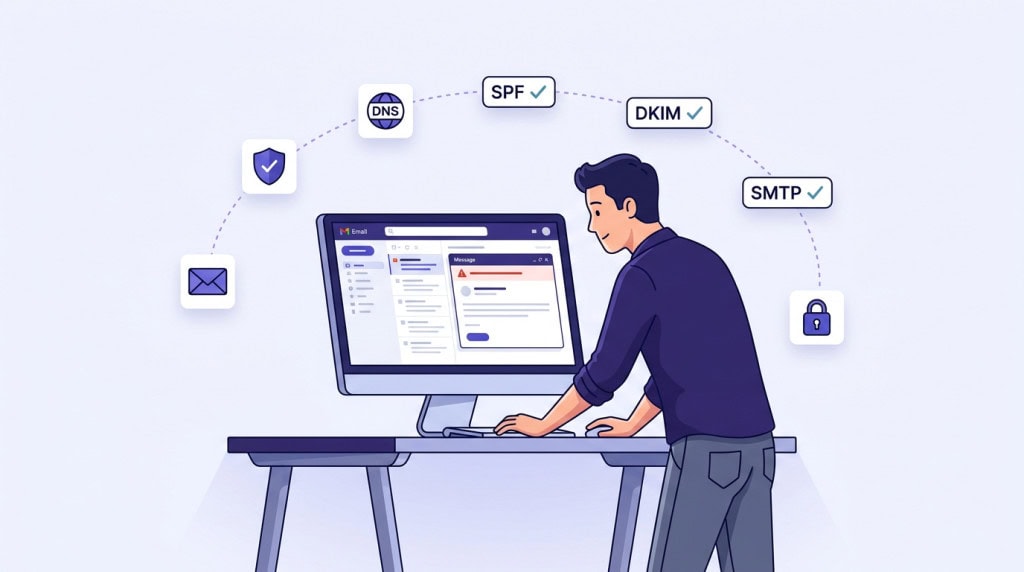
Most WordPress sites send emails. Password resets, contact form submissions, order confirmations, user registrations, plugin alerts. These are not marketing emails. They are operational messages that someone on the other end is expecting to receive.
When those messages end up in spam, or never arrive at all, the problem is rarely the content. It is almost always how WordPress sends the email in the first place.
Why This Matters More Than Most Site Owners Realize
A missed password reset is an inconvenience. A missing WooCommerce order confirmation creates a support request. A contact form submission that never reaches the inbox means a potential client thinks they were ignored.
The damage is quiet. There is no error message on the site. WordPress reports the email as sent. The site owner assumes everything is working, and sometimes it takes weeks or months before anyone notices the gap.
For any site that depends on transactional email, whether that is a store, a membership site, or even a simple contact form, unreliable email delivery is not a minor issue. It is a trust problem.
How WordPress Sends Email by Default
WordPress uses a PHP function called wp_mail() to send email. Under the hood, this hands the message off to your web server’s built-in mail handler, which sends it out with minimal context attached.
There is no authentication. There is no verified sender identity. The email leaves the server with a return address that says something like wordpress@yourdomain.com, but nothing proves that your domain actually authorized that server to send on its behalf.
From the receiving mail server’s perspective, this looks suspicious. A message arrived claiming to be from your domain, but there is no way to verify that claim. That is exactly the pattern spam and phishing emails follow.
This is not a bug in WordPress. It is simply a default that was never designed for reliable delivery. For small personal sites that barely send email, it sometimes works. For any site where email actually matters, it is not enough.
What Receiving Mail Servers Actually Check
Modern email providers like Gmail, Outlook, and Yahoo do not just look at the content of an incoming message. They check whether the sending server is authorized to send for that domain, and whether the message was tampered with in transit.
Three DNS-based protocols handle this verification. They work together, and all three matter.
SPF (Sender Policy Framework)
SPF is a DNS record that lists which servers are allowed to send email on behalf of your domain. When a receiving server gets a message claiming to be from your domain, it checks your SPF record to see if the sending server is on the approved list.
If the server is not listed, the message is more likely to be flagged or rejected.
DKIM (DomainKeys Identified Mail)
DKIM adds a cryptographic signature to outgoing emails. The receiving server can verify this signature against a public key published in your DNS records. If the signature checks out, the server knows the message was not altered after it was sent and that it came from an authorized source.
Without DKIM, there is no way for the receiving server to confirm that the email content is genuine.
DMARC (Domain-based Message Authentication, Reporting, and Conformance)
DMARC ties SPF and DKIM together. It tells receiving servers what to do when a message fails one or both checks. Should the server accept it, quarantine it, or reject it outright?
DMARC also provides a reporting mechanism. You can receive reports showing who is sending email on behalf of your domain, which helps identify unauthorized use.
Since early 2024, Gmail and Yahoo require proper SPF, DKIM, and DMARC configuration for bulk senders. But even low-volume WordPress sites benefit from having all three in place. Without them, your emails are competing for inbox placement with no credentials.
High Spam Signals from Form Behavior
If your contact forms are poorly configured or abused by bots, your outgoing emails may include suspicious patterns. Examples include repeated identical messages, excessive links, unusual formatting, or sudden spikes in volume. Even if your technical setup is correct, this kind of behavior can push emails into spam.
The Shared Hosting Problem
Even if your WordPress site is configured correctly, the server it sits on can undermine your email reputation.
On shared hosting, your site shares an IP address with dozens or even hundreds of other websites. If any of those sites send spam or trigger abuse complaints, the IP itself gets flagged. Email providers maintain blocklists of IP addresses with poor sending history, and your site’s emails get caught in that net even if you have done nothing wrong.
This is one of the less obvious reasons why a site that “used to send email fine” suddenly stops reaching inboxes. Nothing changed on your end. The server’s reputation changed.
You can check whether your server’s IP is blocklisted using tools like MXToolbox. But the real fix is not to rely on your web server for email delivery in the first place.
What SMTP Fixes and Why It Works
SMTP stands for Simple Mail Transfer Protocol. In this context, what it means practically is routing your WordPress emails through a dedicated, authenticated mail service instead of your web server’s default mail handler.
When you configure SMTP, your site sends email through a real mail server with proper credentials, a verified sender identity, and support for SPF and DKIM alignment. The receiving mail server can verify that the message is legitimate, and the sending IP belongs to a reputable email service rather than a shared hosting server.
There are several approaches depending on your site’s needs.
If your business already uses Google Workspace or Microsoft 365, you can route WordPress emails through that same provider. This keeps everything aligned under one domain and one set of authentication records.
For sites that send higher volumes of transactional email, such as WooCommerce stores or membership platforms, dedicated transactional email services like SendGrid, Postmark, Mailgun, or Amazon SES are built specifically for this purpose. They offer better deliverability tracking, sending limits that scale, and dedicated IP options for high-volume senders.
The connection between WordPress and the SMTP provider is typically handled by a plugin. The plugin replaces the default wp_mail() behavior and routes outgoing messages through the configured SMTP service instead. The important thing is not which plugin you choose. It is that the underlying SMTP provider is properly set up and your DNS records match.
What Most Site Owners Still Get Wrong After the Fix
Installing an SMTP plugin is the most common recommendation, and it is the right first step. But it is not the entire solution.
The From address does not match the domain
WordPress defaults to sending from an address like wordpress@yourdomain.com. If your SMTP service is configured for a different address, or if your site’s “from” address uses a generic Gmail or Yahoo address, the mismatch causes authentication failures. The “from” address must align with the domain you have authenticated through SPF and DKIM.
DNS records are missing or misconfigured
Setting up SMTP without adding the correct SPF, DKIM, and DMARC records to your domain’s DNS is like presenting an ID card that nobody can verify. The plugin may show “test email sent successfully,” but that only confirms the message left your site. It does not guarantee inbox placement.
Nobody tests after setup
A successful test email to one inbox does not mean everything works everywhere. Emails should be tested against Gmail, Outlook, and at least one other provider. Checking message headers for SPF and DKIM pass results confirms that authentication is actually working. Tools like Mail Tester can give a more complete picture of your sending configuration.
The setup is treated as a one-time task
Email deliverability is not something you configure once and forget. DNS records can break during domain or hosting migrations. SMTP credentials can expire. Sending services can change their requirements. A site that was delivering email perfectly six months ago can silently stop reaching inboxes if nobody is checking.
This is one of the reasons email deliverability should be part of a broader site maintenance process, not a standalone fix.
What a Reliable Setup Looks Like
A WordPress site with properly handled email has a few things in place.
Outgoing email is routed through an authenticated SMTP service, not the web server’s default mail handler. SPF, DKIM, and DMARC records are correctly configured in the domain’s DNS and aligned with the sending service. The “from” address matches the authenticated domain. Email delivery is tested periodically, not just once during initial setup. And someone is responsible for checking that it continues to work, especially after hosting changes, domain updates, or plugin migrations.
None of this is complicated. But it does require deliberate setup and occasional attention, which is why it gets missed so often on sites where maintenance is reactive rather than structured.
Conclusion
WordPress email going to spam is one of the most common site issues, and one of the most avoidable. The default sending method was never built for reliable delivery. Receiving mail servers expect authentication that the default setup does not provide. And shared hosting environments add another layer of risk that most site owners never see.
The fix is straightforward. Use SMTP, configure your DNS records properly, align your sender identity, and verify that the setup actually works. Then make sure someone checks on it periodically.
If your site sends emails that matter, whether that is order confirmations, form submissions, or password resets, this is not something to leave to chance.
If email deliverability is something you would rather have handled properly from the start, WPFellow’s WordPress Care Plans include email configuration and ongoing monitoring as part of a structured maintenance process.



