
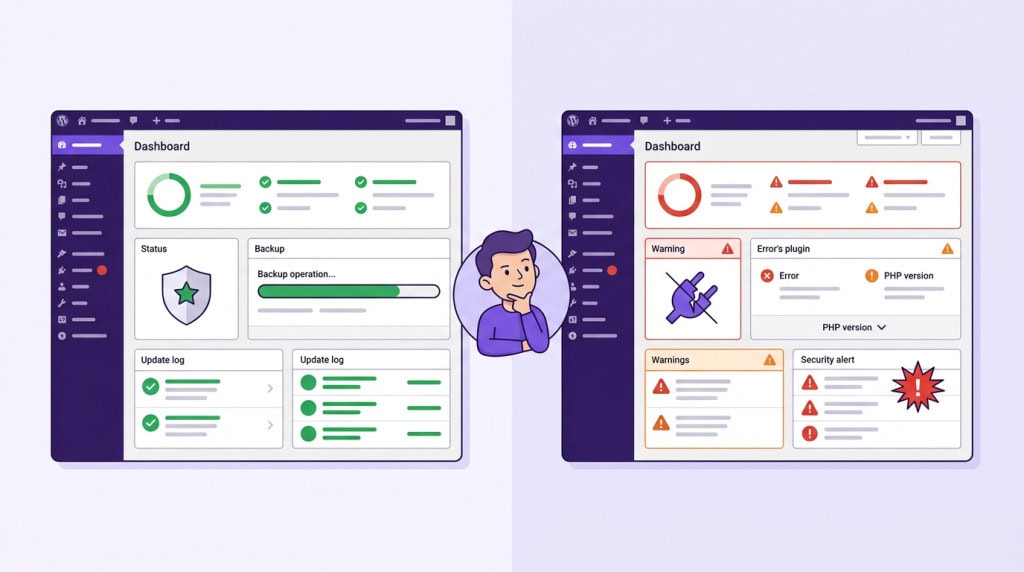
WordPress is one of the most forgiving platforms to run a business on. It is also one of the easiest to neglect. Most WordPress sites appear stable on the surface. Pages load, forms work, and nothing seems urgent. This is usually the phase where maintenance gets ignored, not because it is unnecessary, but because nothing is visibly broken yet.
What is easy to miss is that WordPress is not a fixed system. Even if your site does not change, everything around it does. Plugins update, PHP versions evolve, hosting environments shift, and new vulnerabilities are discovered regularly.
Without ongoing maintenance, your site slowly drifts out of sync with its environment. That drift is where problems begin.
What Maintenance Actually Means
Maintenance is not just running updates. It is a set of ongoing activities that keep a site stable as everything around it continues to change.
The core elements are:
- Updates applied carefully
- Backups that are tested and stored off-site
- Monitoring for uptime and errors
- PHP and hosting environment checks
- Someone verifying that core functionality still works after changes are made
When this happens consistently, a site stays healthy. When it stops, the site does not crash immediately. It degrades. And degradation is harder to catch than a crash.
Why Neglect Feels Safe Until It Is Not
The deceptive thing about skipping maintenance is that nothing dramatic happens right away. The site still loads. The business still runs. There is no visible alarm.
This is exactly why the risk builds unnoticed. Several things are drifting in the background while the surface looks fine.
What Actually Starts Breaking
Plugins Fall Out of Sync With the Rest of the Site
WordPress core updates on a regular schedule. Plugin authors update to match. When updates stop being applied, the gap between installed versions and current versions grows wider every month.
Two things happen as a result. Known security vulnerabilities stay open, because patches were released but never applied. And compatibility breaks start appearing quietly. A broken form here, a layout problem there, a checkout step that fails for some users but not others.
By the time these surface visibly, they have usually been building for a while.
PHP Drift Becomes a Silent Liability
PHP is the language WordPress runs on. When older versions reach end-of-life, they stop receiving security patches.
A site running on PHP 7.4 in a world that has moved to PHP 8.2 is running on unsupported software, regardless of how current the WordPress installation appears.
There is a performance cost too. PHP 8.x is meaningfully faster than older versions. Staying on outdated PHP is a quiet tax on site speed that never shows up anywhere obvious.
Backups That Have Never Been Tested Are Not Really Backups
Many sites have a backup plugin installed and nothing more. The plugin runs on a schedule, a green indicator appears in the dashboard, and the owner assumes recovery is possible if something goes wrong.
In practice, backup jobs fail silently. Storage connections break. Retention windows expire. The restore that looked reliable on paper does not work when it is actually needed.
A backup that has never been tested is an assumption, not a safety net.
Security Exposure Compounds Over Time
Attackers do not usually target specific sites. They scan for patterns: outdated plugin versions with known vulnerabilities, weak login configurations, predictable admin paths.
A maintained site presents a smaller surface. An unmaintained site presents a larger one.
The consequences of a compromised site go beyond cleanup costs. Blacklist removal takes time. SEO recovery after a hack can take months. Most of this is preventable with consistent maintenance hygiene.
Small Failures Go Unnoticed Without Monitoring
A maintained site is a watched site. Uptime monitoring catches outages quickly. Error log checks surface PHP warnings before they become visible problems. Functional testing after updates catches a broken contact form or a failed email notification before a customer has to report it.
Without this layer of attention, small failures accumulate. Something broke three weeks ago and nobody knows yet.
The Real Cost Is Rarely the Crash
The failure mode most site owners picture is dramatic. The site goes down, something is lost, the business stops. That happens. But it is not the most common outcome of neglected maintenance.
The more common outcome is slow erosion. Performance that quietly declines. Security exposure that builds without triggering an incident until one day it does. Functionality that breaks subtly and stays broken.
A crash is recoverable in a defined time window. Gradual erosion costs more because it compounds quietly and is harder to attribute.
What Proper Maintenance Actually Looks Like
A process worth relying on is not just automated updates running in the background. It includes:
- Updates applied carefully, with compatibility checked before going live
- Backups verified regularly and stored off-site
- Monitoring for uptime, errors, and security signals
- PHP and hosting environment kept current
- Someone accountable for doing all of this on a consistent schedule
Automated tools can handle parts of this. They cannot handle all of it. They do not check compatibility before applying updates. They do not test restores. They do not catch quiet failures. That is where human oversight makes the difference.
Conclusion
WordPress sites operate in a changing environment. PHP moves forward. Plugins are updated or abandoned. Vulnerabilities are discovered. Databases grow. None of this waits for a convenient moment to become a problem.
The sites that stay stable over years are the ones where someone is consistently paying attention.
If your site has been running without structured maintenance, a good first step is an honest look at what has drifted. WPFellow’s WordPress Care Plans are built around exactly this kind of consistent, accountable oversight. If you want to know where your site actually stands, we can help you find out.



