
PHP is the programming language that WordPress runs on. Every page load, every form submission, every admin action on a WordPress site is processed by PHP on the server before anything reaches the browser.
Most site owners never think about which version of PHP their site is running. It is not visible from the WordPress dashboard by default, it is rarely mentioned during hosting setup, and nothing obviously breaks the moment a version becomes outdated. But the version of PHP running underneath your WordPress site affects security, speed, and long-term compatibility in ways that quietly add up.
Why This Matters
PHP follows a structured release cycle. Each version receives two years of active support, which includes bug fixes and security patches, followed by two years of security-only support. After that, the version reaches end-of-life and stops receiving updates entirely.
When a PHP version reaches end-of-life, no one is patching its security vulnerabilities anymore. Any new exploit discovered after that point stays open. Your WordPress installation might be fully updated, your plugins current, and your passwords strong, but if the PHP version underneath it all is no longer maintained, the foundation is exposed.
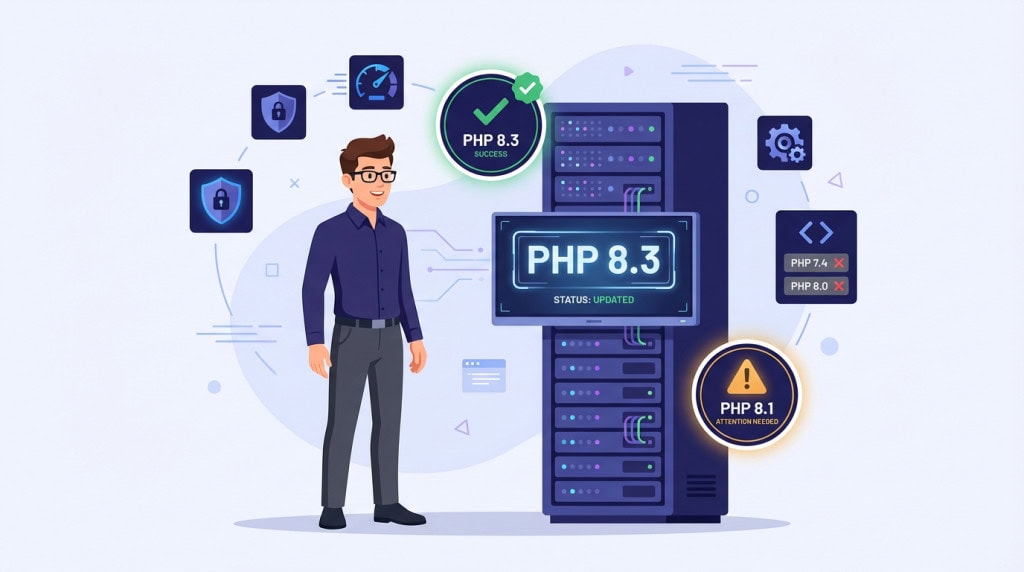
As of 2026, PHP 8.1 and everything below it has reached end-of-life. PHP 8.2 is in its final year of security-only support. WordPress.org recommends PHP 8.3 or higher. Yet a large portion of WordPress sites still run on PHP 7.4, a version that stopped receiving security patches years ago.
The gap between what is recommended and what is actually running is one of the most common quiet risks in the WordPress ecosystem.
What Changes Between PHP Versions
The differences between PHP versions are not just about security patches. Newer versions handle requests faster, use less memory, and process WordPress operations more efficiently.
Performance
The jump from PHP 7.4 to PHP 8.x brought measurable performance improvements. Benchmarks consistently show that PHP 8.3 and 8.4 handle WordPress page generation noticeably faster than older versions, with lower memory consumption under the same workload. For a site running on managed hosting with proper caching, the difference might be subtle. For a busier site, a WooCommerce store, or a site on a server that is already under load, the improvement is real and practical.
Code Quality and Ecosystem Health
Newer PHP versions include stricter error handling and deprecation of older coding patterns. This matters because it pushes the broader plugin and theme ecosystem toward more reliable, modern code. A plugin that works “fine” on PHP 7.4 might be relying on behaviors that newer PHP versions have deliberately removed because they were unreliable or insecure.
Built-In Security Improvements
There is also a direct security dimension beyond end-of-life patching. Newer PHP versions introduce built-in protections that older versions simply do not have. Improvements to how PHP handles type coercion, random number generation, and password hashing are not just developer conveniences. They reduce the surface area for entire categories of vulnerabilities. A site running modern PHP is structurally harder to exploit, even before you consider the patching question.
Why So Many Sites Stay on Old Versions
If newer PHP versions are faster and more secure, the obvious question is why so many WordPress sites are still running outdated ones.
The Compatibility Problem
The answer is usually compatibility. Upgrading PHP is not just a toggle in a hosting panel. It requires confirming that every theme, plugin, and piece of custom code on the site works correctly with the new version. On a clean site with a small, well-maintained plugin stack, this is straightforward. On a site with 20 or more plugins, a page builder, WooCommerce extensions, and custom functionality built years ago, the risk of something breaking is real.
This is the tension that keeps sites stuck. The hosting provider makes it easy to switch PHP versions, but switching without testing is how sites break in production. And most site owners do not have a staging environment or a process for verifying compatibility before making the change.
Hosting Providers and WordPress Core Are Not Forcing the Issue
Some hosting providers have started forcing upgrades when old PHP versions reach end-of-life. Others quietly keep deprecated versions available because they know customers will leave if their sites break. Neither approach solves the underlying problem, which is that a PHP upgrade on a WordPress site is a maintenance task that requires testing, not just a checkbox.
WordPress core itself has been conservative about raising its minimum PHP requirement. As of 2026, WordPress technically still runs on PHP 7.2, even though that version has been unsupported for years. This means the software will install and operate on an insecure foundation without any warning beyond a recommendation in the Site Health panel. The fact that WordPress allows it does not mean it is safe.
The longer a site stays on an outdated PHP version, the harder it becomes to upgrade because multiple layers fall out of sync. When you finally attempt an upgrade, everything changes at once. If a site is significantly behind, jumping from a very old version to the latest increases risk. Instead of a controlled update, it often turns into a recovery situation.
What to Check Before Upgrading
A PHP upgrade should never be done live without verification. The process does not need to be complicated, but it does need to be deliberate.
Know Your Current Version
The first step is knowing what PHP version the site is currently running. This is visible in most hosting control panels, or through the Site Health screen in the WordPress dashboard under Tools.
Verify Theme, Plugin, and Custom Code Compatibility
From there, the practical checks are straightforward.
Confirm that the active theme explicitly supports the target PHP version. Most modern themes do, but older themes or heavily customized themes may not.
Check each active plugin for PHP version compatibility. Plugin developers usually list supported PHP versions in their documentation or changelog. Plugins that have not been updated in over a year are the most likely to cause issues.
If the site has any custom code, whether in a custom plugin, a child theme, or functions.php, that code needs to be reviewed for deprecated PHP functions or syntax that newer versions have removed.
What Breaking Actually Looks Like
It is worth understanding what “breaking” actually looks like in practice. Sometimes it is a white screen. More often, it is subtler. A form stops submitting. A payment gateway returns errors during checkout. An admin page throws a warning that covers part of the interface. A scheduled task that sends email reports stops running silently. These are the kinds of issues that do not always show up on a quick visual check, which is why systematic testing matters more than a glance at the homepage.
WooCommerce sites need extra attention during PHP upgrades. Payment gateway plugins, shipping calculators, and tax extensions often rely on specific PHP behaviors. A compatibility issue in any of these can affect live transactions, which makes staging and testing even more important for transactional sites.
Test on Staging First
The safest approach is to test the upgrade on a staging copy of the site first. A staging environment lets you switch PHP versions and verify that the site loads, forms work, WooCommerce processes correctly, and the admin functions normally, all without risking the live site.
After upgrading, monitoring the site for a few days is worth the effort. Some compatibility issues only surface under specific conditions, such as a particular checkout flow, a less-used admin feature, or a cron job that runs on a schedule.
What a Responsible PHP Maintenance Process Looks Like
PHP version management is not a one-time upgrade. It is an ongoing part of keeping a WordPress site healthy.
A well-maintained site stays within the actively supported PHP range, not always on the bleeding edge, but never on a version that has stopped receiving security patches. When a new PHP version becomes the recommended standard, the upgrade is planned, tested on staging, and rolled out with confidence rather than ignored until something forces the issue.
This is the kind of maintenance that often gets overlooked because nothing visibly breaks when PHP falls behind. The site still loads. The admin still works. But the security exposure grows quietly, the performance gap widens, and the eventual upgrade becomes harder the longer it is delayed, because more plugins and more code have had time to drift further from current standards.
Keeping PHP current is one of the simplest things a site owner can do to protect their investment. It just requires someone paying attention.
Conclusion
PHP is not a background detail that can be safely ignored. It is the runtime environment your entire WordPress site depends on. When it falls behind, the site becomes less secure, slower, and harder to upgrade later.
The fix is not dramatic. It is a structured check, a tested upgrade, and a commitment to staying current. For most sites, the process is smooth when handled properly. The problems come from neglect, not from the upgrade itself.
If you are not sure what PHP version your site is running, or whether your plugins and theme are ready for an upgrade, WPFellow’s WordPress Care Plans include PHP version management as part of ongoing site maintenance.



