
When a WordPress site feels slow, the instinct is to look for the one thing causing it. A plugin to blame, a setting to flip, a quick fix to apply.
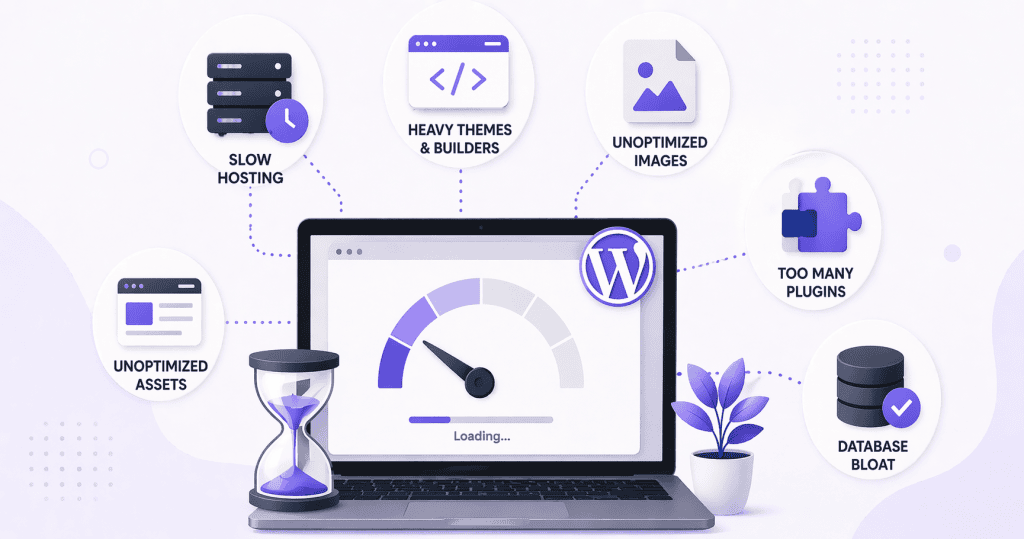
That instinct is usually wrong. Slow WordPress sites are almost always the result of several problems stacking on top of each other. Fixing one of them helps. Fixing only one of them rarely solves it.
The Hosting Foundation
The server your site runs on sets the ceiling for everything else. No amount of optimization work will fully compensate for hosting that is underpowered for the traffic and complexity of the site.
Shared hosting plans that cost a few dollars a month are shared in a literal sense. The server resources are divided across dozens or hundreds of other sites. When those sites are busy, yours slows down. The problem is not always visible and it is not always consistent, which makes it easy to attribute to something else.
Time to first byte, the time it takes for the server to begin responding to a request, is one of the clearest indicators of hosting quality. A slow TTFB is a server-level problem, and caching cannot fix it entirely. If the server is slow to respond before any content is delivered, everything built on top of that foundation inherits the delay.
Too Many Plugins Doing Overlapping Work
Plugins are not inherently a performance problem, but the way most sites accumulate them is.
A site that has been running for a few years often ends up with plugins installed for features that were later abandoned, plugins that duplicate functionality already handled by another plugin, and plugins that load scripts and stylesheets on every page even when they are only needed on one.
Each plugin that loads unnecessary code adds to the page weight and the number of requests the browser has to make. Individually the impact can be small. Collectively it compounds quickly.
Bloated or Poorly Built Themes
Theme quality varies significantly. Some themes are built with performance in mind and load only what is needed. Others are built to impress in demos, with feature sets and asset libraries that add considerable weight regardless of whether those features are actually in use.
A theme that loads a large CSS framework, multiple JavaScript libraries, and several icon fonts on every page is adding overhead that has nothing to do with the content of the site. Builder-based themes in particular can generate verbose HTML and nested structures that add rendering time even before images or scripts are considered.
Unoptimized Images
Images are consistently one of the largest contributors to slow page loads, and also one of the most straightforward to address.
An image uploaded directly from a camera or design tool and placed on a page without any resizing or compression can easily be several megabytes. A browser loading a page with several of those images is downloading a significant amount of data before the page is usable.
Serving images at the correct display dimensions, compressing them appropriately, and using modern formats where supported brings page weight down considerably. Many sites have never done this systematically, and the accumulated impact across a full site is significant.
Database Bloat
WordPress stores a lot of data in its database over time. Post revisions accumulate with every save. Transients build up and are not always cleaned out. Plugin tables from uninstalled plugins sometimes remain. Spam comments and trashed items sit in the database long after they are no longer visible anywhere on the site.
On its own, database bloat is rarely the primary cause of a slow site. But it contributes to query times, and on a site that is already slow for other reasons it adds to the overall picture.
These Problems Interact With Each Other
The reason slow sites are hard to fix with a single change is that these issues interact. A slow server makes database bloat worse. Heavy images on a page with too many plugin scripts create a compounding load. A bloated theme on cheap hosting with no caching is three problems presenting as one.
A useful diagnosis looks at all of these layers, not just the most visible one. Speed tools like PageSpeed Insights and GTmetrix will surface symptoms, but understanding what is actually driving them requires a bit more attention to the full picture.
If your site is slow and you are not sure where the problem actually lives, WordPress Speed Optimization is where WPFellow starts, with a proper look at what is contributing before touching anything.



