
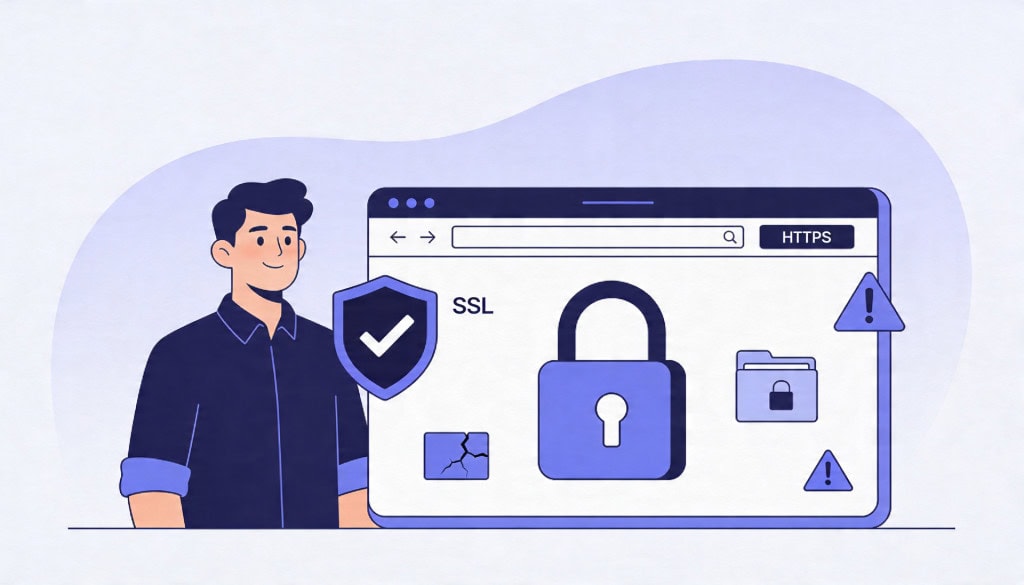
Most WordPress site owners know they need SSL. The padlock icon in the browser, the HTTPS in the address bar, the warnings that appear when a certificate is missing. These are visible signals, and they have done a good job of making SSL feel urgent.
What they have not done is explain what SSL actually protects and where its protection ends. That gap leads to one of the most common security misconceptions in WordPress: the belief that having SSL means the site is secure.
It does not. SSL does one specific thing well. Understanding what that thing is, and what still needs attention beyond it, is important for any site owner who takes security seriously.
What SSL Actually Does
SSL (and its modern successor, TLS) encrypts the connection between a visitor’s browser and your web server. When someone fills out a contact form, logs into the WordPress admin, or enters payment details on a WooCommerce checkout page, SSL ensures that the data traveling between their device and your server cannot be intercepted or read by anyone in between.
This is called transport-layer encryption. It protects data in transit.
Why This Matters in Practice
Without SSL, any data submitted through your site travels in plain text. On a public Wi-Fi network, for example, an attacker could intercept login credentials, form submissions, or payment information as it moves between the browser and the server. SSL makes that interception effectively useless because the data is encrypted.
What the Padlock Actually Means
The padlock icon in the browser confirms that the connection between the visitor and the server is encrypted. It does not confirm that the site itself is safe, trustworthy, or free from malware. A phishing site can have a valid SSL certificate and a padlock. A hacked WordPress site can show HTTPS in the address bar while serving malicious redirects to visitors.
The padlock verifies the connection. It says nothing about what is on the other end of it.
What SSL Does Not Protect
This is where the misconception causes real problems. SSL does not protect your WordPress site from being compromised. It operates at the network layer, not the application layer. Everything that happens on the server side is outside its scope.
Malware and File-Level Attacks
If an attacker exploits a vulnerable plugin and injects malicious code into your site’s files, SSL does nothing to prevent or detect that. The infected site will still load over HTTPS, still show the padlock, and still serve compromised content to visitors through a fully encrypted connection.
Brute Force and Login Attacks
SSL encrypts login credentials in transit, which prevents them from being intercepted. But it does not stop an attacker from trying thousands of password combinations against your login page. Brute force protection, strong passwords, and two-factor authentication are separate concerns that SSL does not address.
Plugin and Theme Vulnerabilities
The most common way WordPress sites get compromised is through vulnerabilities in plugins or themes. SSL has no role in this. A site with a valid certificate and an outdated, vulnerable plugin is just as exposed as one without HTTPS.
Server-Side Exploits
If your hosting environment has weak file permissions, outdated server software, or poor account isolation, SSL will not compensate. These are infrastructure-level issues that require separate attention.
Mixed Content: The Problem That Lingers After Setup
Installing an SSL certificate and switching the site URL to HTTPS is not always the end of the process. Mixed content errors happen when a page loads over HTTPS but some of its resources, such as images, scripts, or stylesheets, are still requested over HTTP.
Why Mixed Content Matters
Browsers handle mixed content differently depending on the type. Some resources are silently blocked. Others trigger warnings. In either case, the result is a page that is technically on HTTPS but not fully secure, and the browser may remove the padlock or display a warning to reflect that.
Common Causes
Mixed content usually comes from hardcoded HTTP URLs in the database, older theme files referencing assets over HTTP, or third-party embeds and scripts that have not been updated to use HTTPS. On sites that have been running for years, especially those that migrated from HTTP to HTTPS after the site was already established, these references can be scattered across hundreds of posts and pages.
Fixing mixed content properly means updating those references in the database, verifying that theme and plugin assets load over HTTPS, and confirming that external resources support secure connections. It is a cleanup task, not a one-click setting.
On WooCommerce sites, mixed content can also affect checkout pages. If a payment gateway script or external resource loads over HTTP on a checkout page, some browsers will block it entirely. The result is a checkout that silently fails, and the site owner may not realize it until a customer reports the issue.
Certificate Renewal and Expiry
SSL certificates have expiration dates. Most free certificates issued through Let’s Encrypt are valid for 90 days and renew automatically. Paid certificates from other providers may last one or two years.
When Renewal Fails
The problem is not the expiration itself. It is what happens when the automatic renewal fails silently. A DNS change, a hosting migration, a server misconfiguration, or even a firewall rule can prevent a certificate from renewing. When the certificate expires, visitors see a full-page browser warning that the site is not secure. Most will leave immediately.
This is particularly common during hosting migrations. The old host had auto-renewal configured, but the new host requires a different setup that nobody remembered to complete. The site works fine for weeks or months until the original certificate expires, and suddenly the site is showing security warnings to every visitor.
For sites that depend on traffic or transactions, an expired certificate is not a minor issue. It is an outage. Monitoring certificate status and ensuring that renewal processes are actually working is a small but important part of ongoing site maintenance.
HSTS: Making HTTPS Permanent
Once a site is running on HTTPS, there is still a brief window of vulnerability. The first time a visitor types your domain without specifying HTTPS, their browser may initially connect over HTTP before being redirected to HTTPS. During that brief moment, the connection is unencrypted.
What HSTS Does
HTTP Strict Transport Security (HSTS) is a response header that tells the browser to only connect to your site over HTTPS, even if the user types HTTP or clicks an old HTTP link. Once the browser has seen the HSTS header, it will refuse to make an insecure connection for a specified period of time.
Why It Is Worth Enabling
HSTS eliminates that initial unencrypted request and protects against certain types of downgrade attacks. It is a small configuration step that meaningfully strengthens the HTTPS setup. Most managed WordPress hosts support it, and it can be enabled through server configuration or a security plugin.
It is not something most site owners know to ask for, which is why it often gets skipped even on sites that otherwise have SSL configured correctly.
What a Properly Secured WordPress Site Actually Needs
SSL is one layer. A necessary one, but not a sufficient one. A WordPress site that is genuinely secure has multiple layers working together.
The connection is encrypted via HTTPS with a valid, auto-renewing certificate. HSTS is enabled to prevent downgrade attacks. Mixed content has been resolved so the entire page loads securely. Plugins and themes are kept updated to close known vulnerabilities. Login protection is in place, including strong passwords and ideally two-factor authentication. File permissions are set correctly on the server. And someone is actively monitoring the site for issues rather than assuming the padlock means everything is fine.
SSL is the starting point. It is not the finish line.
Conclusion
SSL protects data in transit. It encrypts the connection between visitor and server, and it has become a baseline expectation for any website. But it does not protect WordPress from malware, plugin exploits, brute force attacks, or any server-side vulnerability.
The most common mistake is treating SSL as the security solution rather than one component of it. A site with a valid certificate and no other protections is not secure. It is encrypted, which is a different thing.
If you want to make sure your WordPress site is protected beyond the padlock, WPFellow offers both WordPress Care Plans for ongoing security monitoring and WordPress Malware Removal for sites that have already been compromised.



