
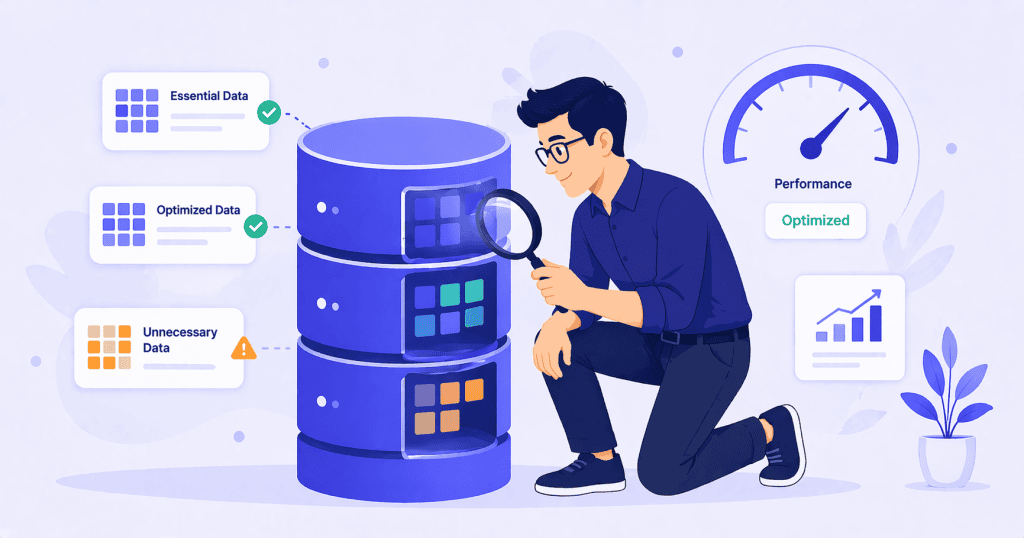
Database optimization is one of those WordPress topics that sounds more important than it usually is. Plenty of guides treat it as a critical performance fix, complete with SQL queries and urgent cleanup steps. Plugin developers sell tools specifically designed to clean your database, and the implication is always the same: your database is bloated and it is making your site slow.
Sometimes that is true. More often, database optimization is a minor tune-up that produces modest results. Understanding the difference matters, because spending time optimizing the wrong thing means ignoring what is actually slowing the site down.
How WordPress Uses Its Database
Every WordPress site stores its content, settings, and operational data in a MySQL or MariaDB database. Posts, pages, comments, user accounts, plugin settings, theme options, and cached data all live in a handful of database tables.
On every page load, WordPress queries the database to retrieve what it needs. The speed of those queries depends on the size and structure of the tables, the complexity of the query, the server’s available resources, and whether any caching layer is reducing the number of queries that hit the database directly.
For most small to medium WordPress sites with reasonable hosting, the database is not the bottleneck. The queries run fast enough that other factors, such as unoptimized images, excessive plugin scripts, or poor caching, have a far larger impact on page load time.
Where database optimization starts to matter is on larger sites with years of accumulated data, WooCommerce stores with thousands of products and orders, or sites where plugins have written large amounts of data into tables that WordPress loads on every request.
What Actually Accumulates Over Time
Several types of data tend to grow quietly inside a WordPress database. Each one has a different level of impact on performance.
Post Revisions
WordPress saves a revision every time a post or page is updated. On a site with hundreds of posts that have been edited repeatedly over several years, the revisions table can grow to many times the size of the actual content. Each revision is a full copy of the post at that point in time.
Revisions do not normally affect front-end performance because WordPress does not load them on public page requests. They can, however, slow down the post editor on long-running content and increase the size of database backups significantly. Limiting revisions to a reasonable number, such as five or ten per post, and periodically cleaning out old ones is sensible housekeeping, but it is unlikely to make the site noticeably faster for visitors.
Transients
Transients are temporary cached values that WordPress and plugins store in the database with an expiration time. They are meant to reduce the need for expensive operations by caching the result for a set period.
The problem is that expired transients are not always cleaned up promptly. WordPress only deletes an expired transient when something specifically requests it. Over time, thousands of expired transients can accumulate in the wp_options table. On most sites this is a minor issue, but on sites without an object cache, transients live entirely in the database and can contribute to table bloat.
Sites running Redis or Memcached as an object cache store transients in memory instead of the database, which eliminates this problem entirely.
Autoloaded Options
This is the one area of database optimization that can have a real, measurable impact on performance.
The wp_options table stores site-wide settings, plugin configurations, theme options, and various cached data. Each row in this table has an “autoload” flag. When autoload is enabled for a row, WordPress loads that data into memory on every single page request, whether or not it is needed for that specific page.
Well-behaved plugins only autoload data that is genuinely needed on every request. Poorly written plugins autoload large blobs of configuration data, serialized arrays, or cached results that have no reason to be loaded globally. Over time, particularly on sites that have installed and removed many plugins, the total size of autoloaded data can grow to several megabytes.
When autoloaded data exceeds roughly 1 MB, it starts to affect the time WordPress takes to initialize on each request. This impacts every page load, including the admin dashboard. Identifying and reducing unnecessary autoloaded data is one of the more impactful database-level optimizations available.
Orphaned Data
Plugins that create custom database tables do not always clean them up when they are uninstalled. The same applies to metadata entries in the postmeta and usermeta tables. Over years of plugin changes, redesigns, and content management, orphaned data accumulates.
This type of bloat rarely affects query performance directly, but it does increase backup sizes and can make database maintenance tasks slower. Cleaning it up is worthwhile as part of a broader audit, but it is not a performance fix on its own.
What Database Optimization Does Not Fix
This is the part that most guides leave out.
It Does Not Fix Slow Hosting
If the database server is underpowered, starved for memory, or shared with too many other accounts, no amount of table optimization will make it fast. The constraint is the infrastructure, not the data.
It Does Not Replace Proper Caching
A well-configured page cache eliminates most database queries for logged-out visitors entirely. If the site is slow because every page request is running dozens of database queries, the fix is caching, not database cleanup.
It Does Not Fix Inefficient Queries from Plugins
Some plugins generate slow, complex database queries by design. A poorly written custom query that runs on every page load will remain slow even on a perfectly optimized database. The fix is identifying and addressing the query itself, not cleaning unrelated tables.
It Does Not Reduce Front-End Load Time Directly
Database optimization affects server-side processing time. If the site is slow because of large images, render-blocking scripts, or excessive front-end JavaScript, database cleanup will not change what the visitor experiences in the browser.
When It Is Worth Doing
Database optimization is worth doing when there is a specific, identifiable reason to do it.
If autoloaded data has grown past 1 MB, cleaning it up can produce a measurable improvement. If the database has accumulated hundreds of thousands of post revisions or expired transients, trimming them simplifies maintenance and reduces backup sizes. If orphaned tables from deleted plugins are taking up space, removing them is good housekeeping.
But running a database cleanup plugin as a first response to a slow site is almost always the wrong starting point. The sequence should be: identify the actual bottleneck first, and optimize the database if the evidence points there.
WooCommerce stores are the most common exception. Stores with years of order data, product variations, and transactional metadata can develop genuinely large databases where query performance is affected. In these cases, database optimization, combined with proper indexing and sometimes archiving older order data, can make a real difference to both front-end and admin performance.
A Practical Approach
A reasonable database maintenance routine does not require SQL expertise or constant attention. A few checks done periodically, perhaps twice a year, are usually enough.
Check the total size of autoloaded data in the wp_options table. If it is above 1 MB, investigate which entries are the largest and whether they need to be autoloaded. Limit post revisions to a sensible number and clean out accumulated old revisions. Clear expired transients, especially if the site does not use an object cache. Review the database for orphaned tables left by plugins that were removed long ago. And keep things in perspective. Database optimization is maintenance, not a performance strategy.
Conclusion
WordPress database optimization is real and useful, but its impact is often overstated. For most sites, it is a housekeeping task that keeps things tidy rather than a performance breakthrough. The exception is autoloaded data, which can genuinely slow down every request when it gets out of control.
The best approach is to treat database cleanup as one part of a broader performance review, not as the first thing to reach for when the site feels slow.
If you want a clear picture of what is actually affecting your site’s speed, WPFellow’s WordPress Speed Optimization service starts with a diagnostic review that identifies where the real bottlenecks are, including database issues, before making any changes.



