
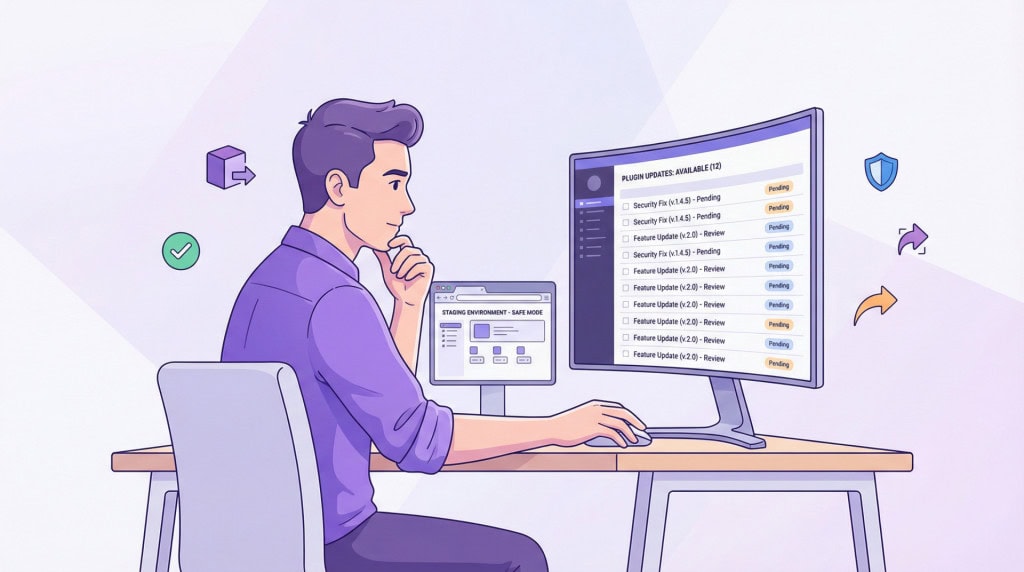
Plugin updates are supposed to make your site more secure and more stable. Most of the time, they do. But anyone who has managed WordPress sites for long enough has experienced the other outcome: an update goes in, something breaks, and now the site is down during business hours.
This is not a rare edge case. It is a predictable failure pattern that comes from treating updates as a routine task rather than a process that carries real risk.
Why Updates Break Things
A WordPress site is not a single piece of software. It is a collection of components from different developers, built and updated on different schedules, all running together in the same environment.
When a plugin updates, it may behave differently with other plugins on the same site, with the active theme, or with the version of PHP the server is running. The plugin developer tested their code, but they did not test it against every possible combination of other plugins and configurations that exists across millions of WordPress sites.
Most updates go smoothly. The ones that do not tend to involve plugins that interact closely with other parts of the site, such as page builders, WooCommerce extensions, caching plugins, or anything that modifies how WordPress core processes requests.
The Problem with Batch Updating Everything at Once
The most common update approach is also the riskiest one: log into the dashboard, select all available updates, and apply them in one go.
When something breaks after a batch update, you know that one of the updates caused the problem. You do not know which one. Rolling back means either restoring the entire site from a backup, which loses any content changes made since then, or manually reverting each plugin one at a time until the culprit is found.
Applying updates individually, or in small groups, makes the cause of any breakage immediately obvious. It takes slightly longer. It saves a significant amount of time when something goes wrong.
WooCommerce Updates Deserve Extra Caution
WooCommerce updates warrant a separate mention because the consequences of a break are different from a standard brochure site.
A broken WooCommerce installation can mean customers cannot complete purchases, order processing fails, or payment gateway integrations stop working. The business impact of an hour of downtime on a store is real and measurable.
WooCommerce major version updates in particular can introduce breaking changes for extensions built on top of it. Updating WooCommerce without checking whether its installed extensions are compatible with the new version is a common source of serious breakage.
What Staging Actually Solves
A staging environment is a copy of your live site that runs separately, usually on a subdomain or a private URL. Updates are applied to staging first, the site is checked, and if everything looks correct, the same updates are applied to live.
This process catches compatibility problems before they affect real visitors. It also provides a safe place to test major updates, theme changes, or new plugin installations without any risk to the production site.
Not every hosting environment makes staging straightforward to set up, but most managed WordPress hosts include it. For a site handling real business activity, it is not an optional extra.
The Role of Backups in an Update Process
Even with staging and careful sequencing, updates on live sites occasionally cause problems. A backup taken immediately before applying updates is what makes recovery fast when that happens.
The restore is straightforward because the backup is recent and the cause is known. Without a pre-update backup, recovery involves either rolling back from an older backup and losing recent content, or troubleshooting a broken site manually under pressure.
A backup directly before updates is a simple step. It converts a potential emergency into a manageable inconvenience.
What a Responsible Update Process Looks Like
Putting this together, a responsible update process for a production WordPress site involves a few consistent habits.
Updates are reviewed before they are applied. Security patches are prioritised. Major version updates for WooCommerce and page builders are treated with extra care. Updates are applied sequentially rather than all at once. A backup is taken before the process starts. Staging is used where the risk of breakage is higher. The site is checked after updates are complete, not just assumed to be working.
None of this is complicated. It is the difference between treating updates as a task to clear and treating them as a process with consequences.
If your site is currently updated through the dashboard with no staging, no sequencing, and no pre-update backup, that is the setup most likely to produce the kind of breakage this article describes.
A WordPress care plan through WPFellow includes a structured update process built around exactly these principles. Updates are handled carefully, tested where needed, and backed up before they go in.



